The Problem with PDF Menus
You've probably seen this: a customer scans a QR code, waits for a 5MB PDF to load, then pinches and zooms through a blurry photo of your printed menu. They give up, flag down a waiter, and ask for a physical menu.
This is what happens when you digitize a menu without actually reimagining it. A PDF is not a digital menu — it's a printed menu viewed on a phone, and it's a terrible experience.
What a Modern QR Code Menu Looks Like
A proper digital menu is a mobile-first web experience:
- Fast loading — opens instantly, no app download required
- Organized by categories — customers tap through sections, not scroll endlessly
- Rich details — photos, descriptions, dietary badges, allergen info, spice levels
- Real-time updates — mark items out-of-stock instantly, no reprinting
- Interactive — customers can filter by vegetarian, search for dishes, and order directly
The QR code is just the entry point. What matters is the experience behind it.
Benefits for Restaurants
Never Reprint a Menu Again
Change a price? Add a seasonal special? Remove a sold-out item? With a digital menu, updates happen in real-time. No printing costs, no waiting for the designer, no outdated menus sitting on tables.
Reduce Staff Workload
When customers can browse a detailed menu with photos and descriptions on their own phone, they need fewer questions answered. Your staff can focus on hospitality instead of reading out the menu.
Increase Average Order Value
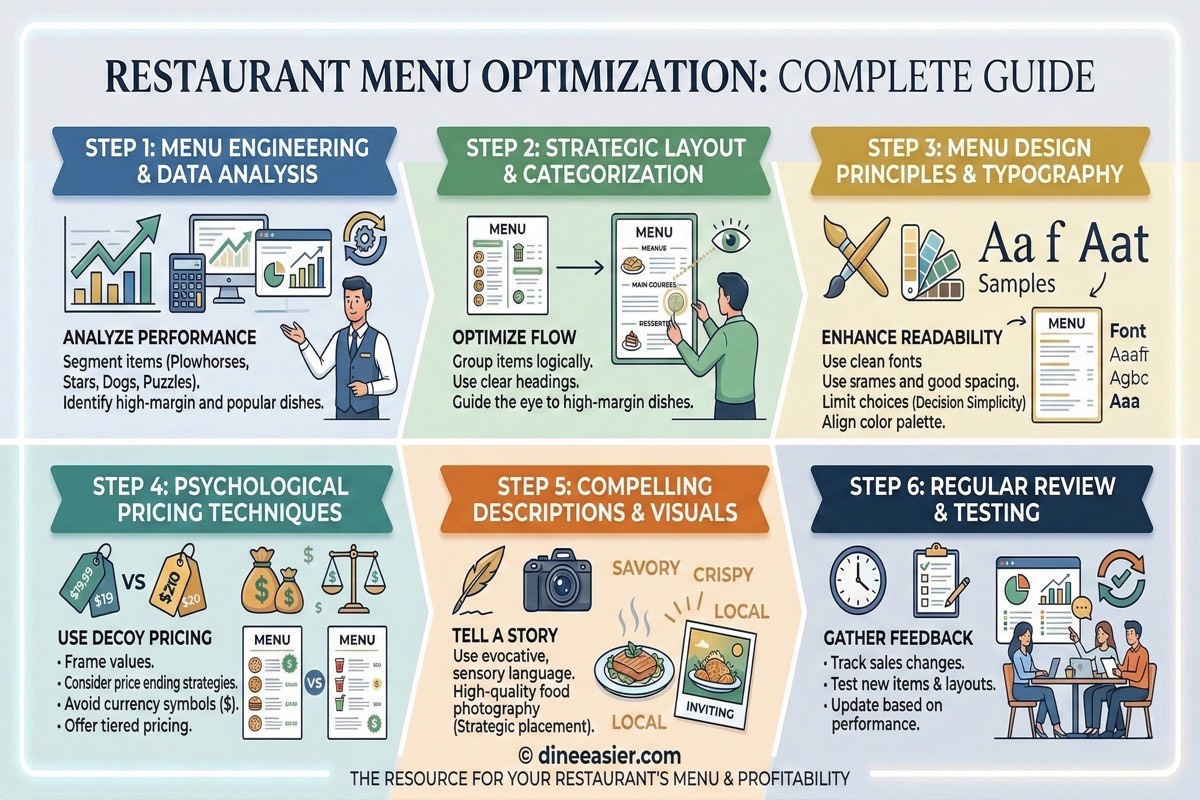
Digital menus with high-quality photos increase order values by 15-30%. When customers can see what a dish looks like — not just read a name — they're more likely to order appetizers, desserts, and drinks. Pairing that presentation with smart pricing and layout is the heart of menu optimization.
Track What Works
See which items get the most views, which categories customers explore first, and what time of day orders peak. This data helps you optimize your menu and pricing.
Benefits for Hotels
Hotels have unique needs that digital menus serve especially well:
Room Service Revolution
Replace the laminated room service card with a QR code. Guests scan from their room, browse a full in-room dining menu with photos, and order directly. No phone calls, no language barriers, no misheard orders.
Multi-Restaurant Properties
Large hotels and resorts often have multiple dining outlets. A single QR system can serve all of them, letting guests browse all restaurant menus from one scan.
Guest Language Support
International guests can view the menu in their language. No need to print menus in 10 languages — the digital menu handles it automatically.
How to Set Up a QR Code Menu
Step 1: Choose the Right Platform
Look for these features:
- Mobile-first design (not just a PDF viewer)
- Category organization with photos
- Dietary filtering (vegetarian, vegan, Jain, gluten-free)
- Real-time availability updates
- Analytics dashboard
- QR code generation with branding
Step 2: Build Your Digital Menu
Upload your items with:
- Clear, appetizing descriptions
- High-quality photos (phone photos work, but good lighting helps)
- Accurate pricing
- Dietary labels and allergen information
- Category grouping (starters, mains, desserts, etc.)
Step 3: Generate and Place QR Codes
Generate unique QR codes for each table or room. This lets you track which table ordered what and provides a personalized experience. Place QR codes on:
- Table tents — small standing cards on each table
- Wall stickers — near the entrance or at the bar
- Room cards — inside hotel rooms on the desk/nightstand
- Receipts — for repeat visits
Step 4: Train Your Staff
Your staff should know:
- How to help customers who aren't familiar with QR codes
- How to update item availability
- How to handle orders that come through the digital system
QR Code Menu vs AI-Powered Menu
A basic QR code menu shows your items and lets customers browse. An AI-powered menu goes further:
| Feature | Basic QR Menu | AI-Powered Menu |
|---|---|---|
| Browse menu | Yes | Yes |
| Photos & descriptions | Yes | Yes |
| Dietary filtering | Yes | Yes |
| Personalized recommendations | No | Yes |
| Natural language search | No | Yes |
| Conversational ordering | No | Yes |
| Smart upselling | No | Yes |
| Meal suggestions for groups | No | Yes |
The AI layer transforms a passive menu into an active ordering assistant. Customers don't just read — they interact.
Common Mistakes to Avoid
- Using a PDF behind a QR code — This defeats the entire purpose
- No photos — Items with photos sell 30% more than text-only listings
- Outdated information — If you're not updating in real-time, you're creating a bad experience
- Tiny QR codes — Make them at least 3cm x 3cm for easy scanning
- No fallback — Always have a link URL printed below the QR code for phones with broken cameras
The ROI of Digital Menus
A typical restaurant spending ₹5,000-10,000 per year on menu printing can eliminate that cost entirely. Add the revenue increase from better presentation (photos, descriptions) and faster ordering, and most restaurants see positive ROI within the first month.
For hotels, the savings are even more dramatic. Room service menus, poolside menus, spa menus, restaurant menus — all managed from one dashboard, all updated instantly.
Getting Started
The best time to switch to a digital menu was two years ago. The second best time is today. Start with your most popular dining area, measure the impact, and expand from there — you can even start with a free digital menu and upgrade as you grow.
Related Articles
Menu Photography Tips: How Restaurant Food Photos Increase Orders by 30%
Learn practical food photography tips for your restaurant menu. No professional photographer needed — just your phone, good lighting, and these proven techniques.

AI Captain for Bali: The Ordering Problem Every Water Villa and Beach Club Has
Bali resorts lose enormous F&B revenue to GoFood and GrabFood — not because the food is worse, but because ordering from a water villa deck or pool lounger is broken. Here is the fix.

AI Captain for Dubai: The Ordering Upgrade Luxury Hotels Have Been Waiting For
Dubai's luxury hospitality sets global benchmarks — except at the ordering interface, which still runs on 1990s phone calls. Here's what happens when Burj-tier hotels replace the phone with AI Captain.