More Options, Fewer Orders
It sounds counterintuitive. You would expect that a bigger menu gives customers more reasons to order. More variety, more appeal, more revenue. But the opposite is true, and there is solid research to prove it.
If your restaurant menu has 50, 80, or 100+ items, you are almost certainly leaving money on the table. Worse, you are probably spending more to do it.
Here is why oversized menus backfire and what to do about it.
The Paradox of Choice: The Jam Study That Changed Everything
In 2000, psychologists Sheena Iyengar and Mark Lepper from Columbia University ran a now-famous experiment at a grocery store. They set up two jam tasting displays: one with 24 varieties, another with just 6.
The results were striking:
- The large display attracted more people (60% stopped vs. 40%)
- But only 3% of visitors bought jam from the large display
- 30% bought from the small display — a 10x difference in conversion
The takeaway is clear. More options attract attention, but fewer options drive action. The same principle applies directly to your restaurant menu. A diner staring at 12 pages of options is less likely to order confidently — or at all — than one looking at a focused, curated selection.
Decision Fatigue Is Killing Your Average Order Value
Decision fatigue is what happens when the brain gets tired of making choices. It is a well-documented phenomenon in behavioral psychology, and it hits your customers the moment they open an oversized menu.
Here is how it plays out in a restaurant:
Customers default to the safe option. Instead of exploring higher-margin specials or premium dishes, they order the cheapest familiar item — a plain pasta, a basic burger. Your carefully developed signature dishes go unnoticed.
Customers skip courses. When choosing a main course already took five minutes, the idea of picking an appetizer or dessert feels exhausting. They skip it entirely. A study by the National Restaurant Association found that streamlined menus increased add-on orders by up to 25%.
Customers feel less satisfied. Even after ordering, they wonder if they made the right choice. With fewer options, there is less regret. This matters for reviews, repeat visits, and word of mouth.
The bottom line: a bloated menu does not increase revenue per customer. It decreases it.
What Happens Behind the Kitchen Door
The problems with too many items on a restaurant menu go well beyond the dining room. Your kitchen pays the price every day.
More Waste
Every menu item requires dedicated ingredients. The more items you offer, the more SKUs your kitchen needs to stock. Many of those ingredients spoil before they get used. The average restaurant wastes 4-10% of purchased food before it ever reaches a plate, according to research by Champions 12.3. Oversized menus push that number higher.
Slower Prep Times
A focused kitchen is a fast kitchen. When your line cooks need to switch between 80 different preparations, ticket times rise. Consistency drops. Training new staff takes longer because there is more to learn. A tight menu lets your team build muscle memory and deliver every dish at the same quality level.
Inconsistent Quality
When a restaurant tries to do everything, it usually does nothing exceptionally well. Customers notice. A chef who nails 30 dishes will always outperform one who produces 100 mediocre ones. The restaurants with the strongest reputations — the ones people recommend — almost always have focused menus.
Higher Costs
More ingredients, more storage, more prep stations, more training, more waste. Every extra menu item has a compounding cost that is rarely captured in food cost percentages alone. When you factor in labor, storage, and waste, that underperforming dish at the bottom of page 6 is likely costing you money even when someone orders it.
The gap shows up as the difference between what your recipes say you should have used and what you actually bought — our free food cost calculator works it out in a couple of minutes.
The Sweet Spot: 5-7 Items Per Category
Menu engineering research consistently points to an optimal range. Gregg Rapp, a menu engineer who has consulted for major restaurant chains, recommends 7 items per category as the upper limit. For fast-casual and QSR formats, 5-6 is often better.
Here is what this looks like in practice:
| Category | Optimal Range |
|---|---|
| Appetizers / Starters | 5-7 items |
| Mains / Entrees | 7-10 items |
| Desserts | 4-6 items |
| Beverages | 5-8 items (per sub-category) |
| Sides | 4-6 items |
A focused menu of 30-45 items total will almost always outperform a sprawling 80+ item menu in revenue per customer, kitchen efficiency, and food cost percentage.
This does not mean you cannot offer variety. It means you should offer curated variety.
How to Audit Your Menu: The Star/Dog Analysis
Menu engineering uses a simple 2x2 matrix based on two metrics: popularity (how often an item is ordered) and profitability (contribution margin per item).
The Four Quadrants
- Stars (high popularity, high profit): Your best items. Promote these heavily. Give them prime menu real estate.
- Plowhorses (high popularity, low profit): Customers love them, but margins are thin. Re-engineer the recipe, adjust portions, or raise prices slightly.
- Puzzles (low popularity, high profit): Great margins, but nobody orders them. Rename them, reposition them on the menu, or have your staff recommend them.
- Dogs (low popularity, low profit): Nobody orders them and they do not make money. These are your cut candidates.
Running the Analysis
- Pull 3-6 months of sales data. You need enough volume for the numbers to be meaningful.
- Calculate contribution margin for each item. Selling price minus food cost per serving.
- Calculate the popularity index. Each item's order count as a percentage of total orders.
- Plot the matrix. Items above the average popularity line and above the average margin line are Stars. Everything else falls into the other quadrants.
- Act on Dogs first. Remove items that score low on both axes. If an item accounts for less than 1-2% of orders and has below-average margins, it is adding cost without contributing revenue.
Most restaurants find that 20-30% of their menu items are Dogs. Removing them has zero impact on customer satisfaction and an immediate positive impact on food costs and kitchen speed.
How Digital Menus Make This Easier
One reason restaurants resist trimming their menu is the perceived cost and rigidity of reprinting physical menus. With digital menus, this constraint disappears.
Easy Category Organization
Digital menus let you split items into clear, scrollable categories. A customer looking for vegetarian options does not need to scan every page — they tap a category and see exactly what is available. This means you can maintain reasonable variety across categories without overwhelming any single view.
Real-Time Changes
Want to test removing five underperforming items? With a digital menu, you can do it in minutes and reverse it just as quickly. Track the impact on order patterns, average ticket size, and kitchen throughput before making permanent decisions.
Highlight What Matters
Digital menus let you feature Stars prominently — with images, badges, and AI-powered recommendations. A physical menu treats every item the same. A digital menu can actively guide customers toward your most profitable dishes.
Seasonal Rotation Without Friction
Instead of a permanently bloated menu that tries to cover every season, use a focused core menu supplemented by rotating seasonal items. Digital menus make swapping seasonal items trivial.
Action Steps: Trim Your Menu This Month
Here is a practical plan you can start this week:
Week 1: Gather Data
- Export your sales data for the last 3-6 months
- Calculate food cost and contribution margin for every item
- Run the star/dog analysis
Week 2: Identify Cuts
- Flag all Dogs (low popularity, low profit)
- Review Plowhorses for re-engineering opportunities
- Target a 20-30% reduction in total menu items
Week 3: Restructure
- Reorganize remaining items into clear categories (5-7 items each)
- Ensure each category has a mix of price points
- Move Stars to prominent positions
Week 4: Launch and Measure
- Update your menu (a free digital menu makes this instant)
- Track average order value, ticket times, and food waste for 30 days
- Compare against the previous period
Most restaurant owners who go through this process report two things: their kitchen runs noticeably smoother, and their average ticket size goes up, not down.
The Bottom Line
Having too many items on your restaurant menu is not a competitive advantage — it is a liability. It confuses customers, slows your kitchen, increases waste, and drags down your margins.
The best restaurants in the world are not the ones with the longest menus. They are the ones where every single item earns its place.
Start with the data, cut the Dogs, and focus your team on executing a tighter menu at a higher level. Your customers will order more confidently, your kitchen will run faster, and your bottom line will reflect it.
Related Articles
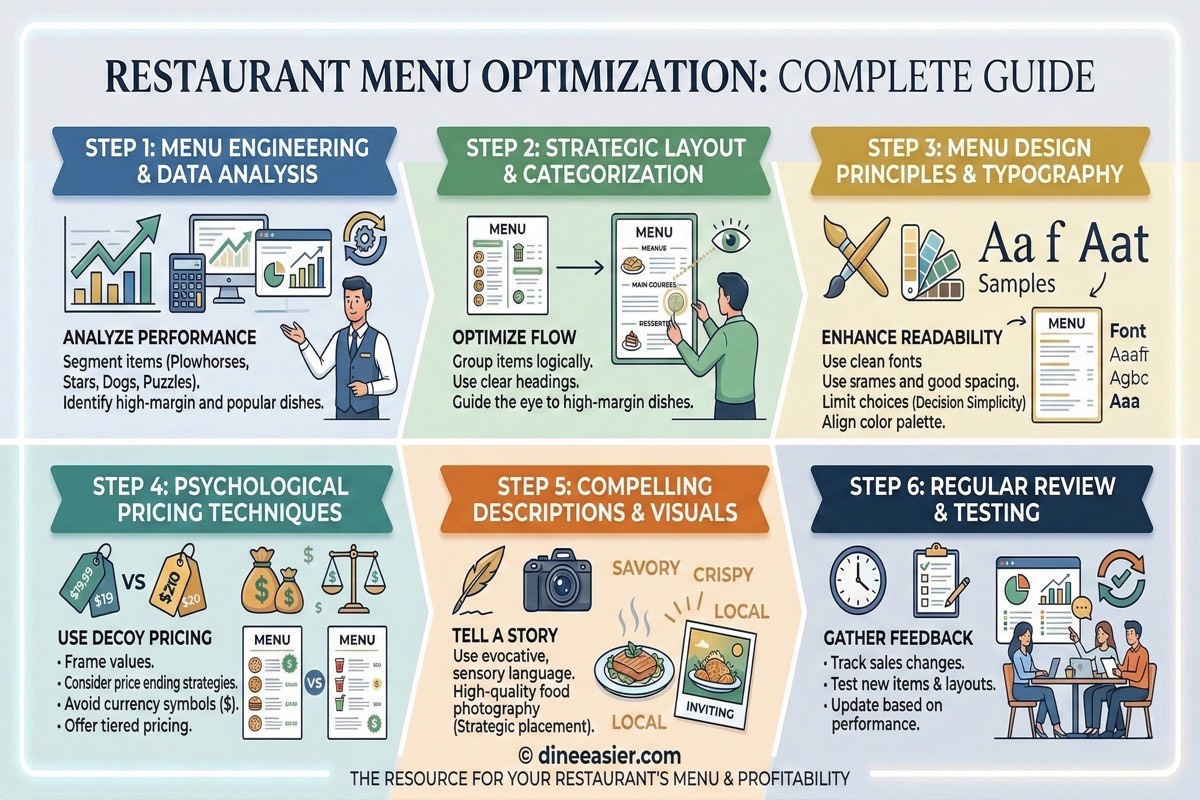
Restaurant Menu Optimization: The Complete Guide to Selling More With Your Menu
Your menu is your most powerful sales tool. Learn menu psychology, pricing strategies, dietary tagging, and digital menu tactics that increase average order value by 20-40%.
Why Dietary Tags on Your Menu Increase Restaurant Orders
Customers skip menu items they are unsure about. Dietary labels like veg, Jain, vegan, and allergen tags remove doubt, unlock group dining, and directly increase orders per table.
Restaurant Menu Pricing Strategy: How to Price Your Menu for Maximum Profit
Learn proven menu pricing strategies including food cost analysis, pricing psychology, anchoring, and dynamic pricing to maximize your restaurant profit margins.