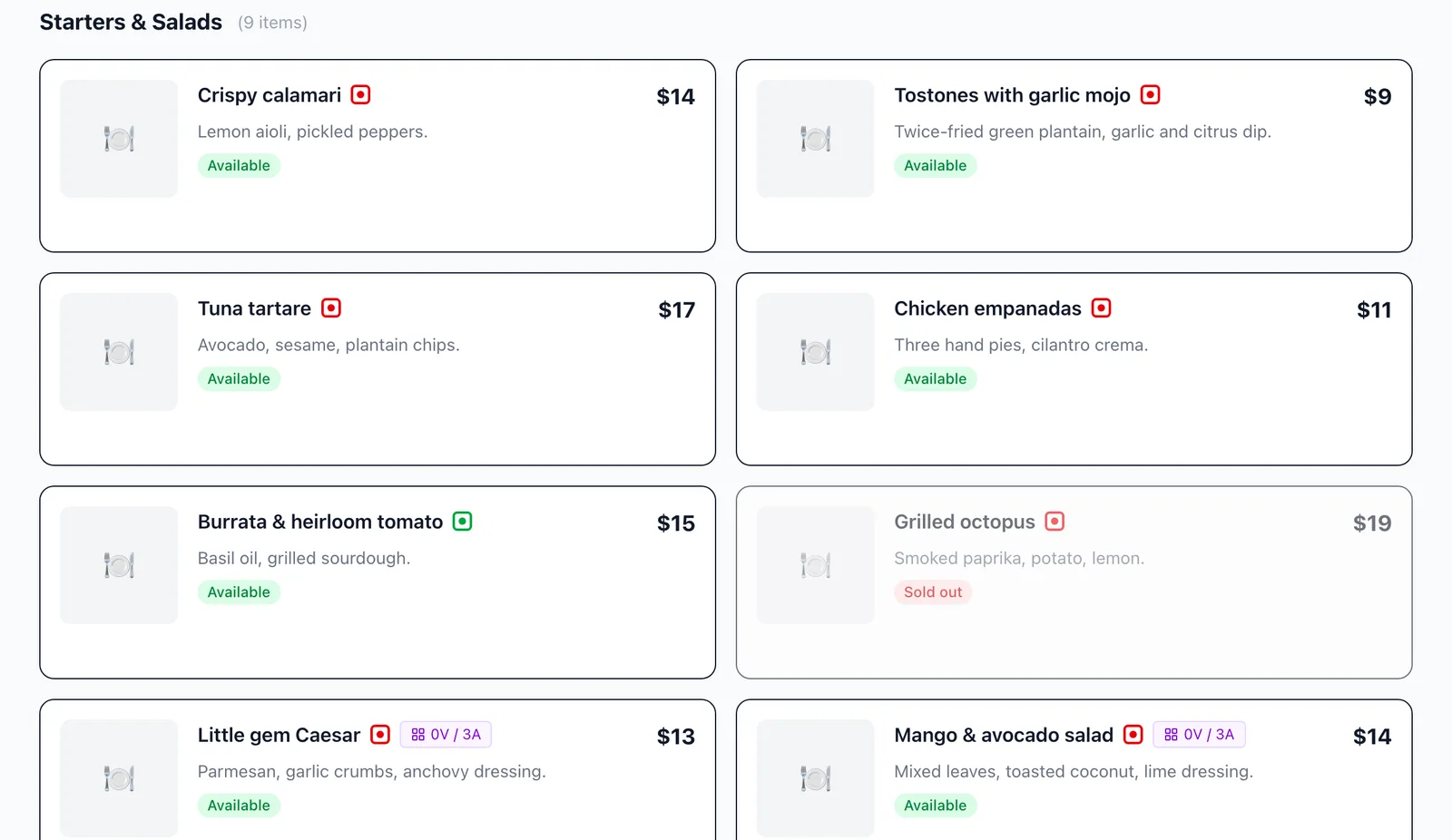
A restaurant POS with every order on one bill
FullGuest is a restaurant POS (billing software): tables, kitchen tickets, split payments and day close. Orders from waiters, QR codes and the AI waiter all land on the same table.
0% commission to us on orders and payments. See the price
One table, seated to settled
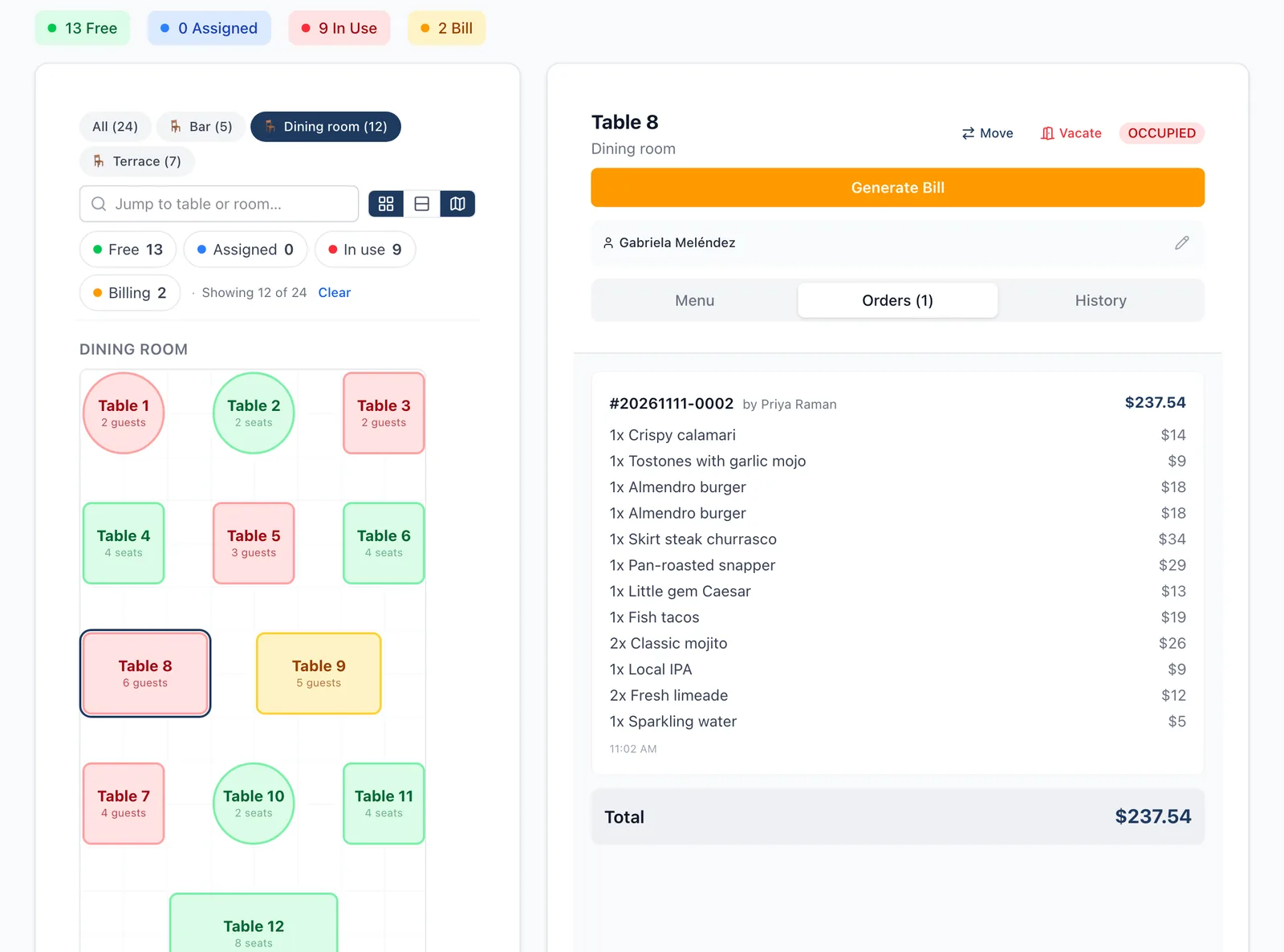
Many restaurants run a POS at the counter, a QR menu from someone else, a separate printer setup and a spreadsheet for the cash-up. Here one table is one record all evening.
Pick the table and take the order
Lay out the floor once by dragging tables into place. During service, tap a table to see its menu and running total, with add-ons like bacon or a fried egg priced in.
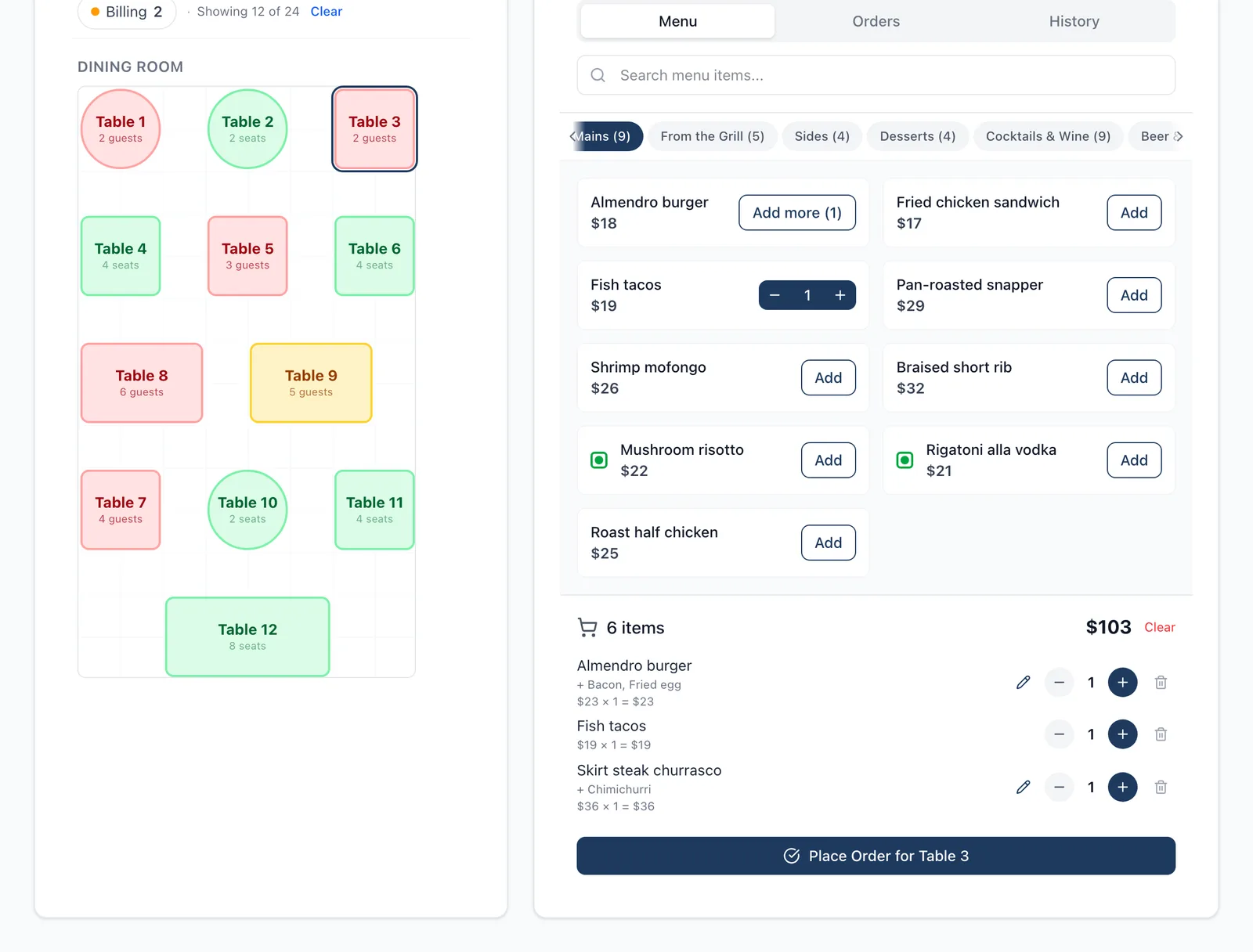
The order comes in three ways
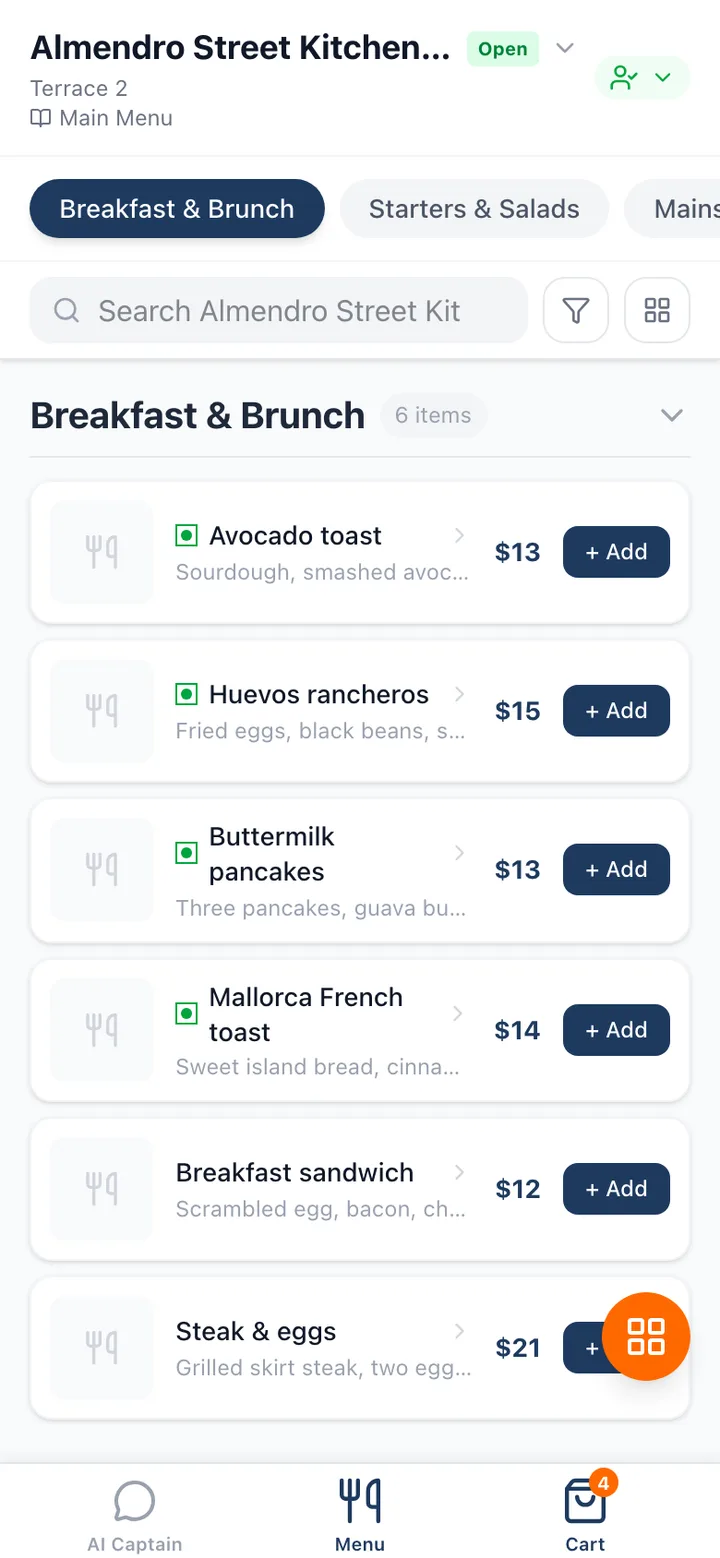
A waiter takes it on a phone, the guest scans the table’s QR code, or the AI waiter takes it in the guest’s language. All three feed the same table.
The kitchen gets one ticket list
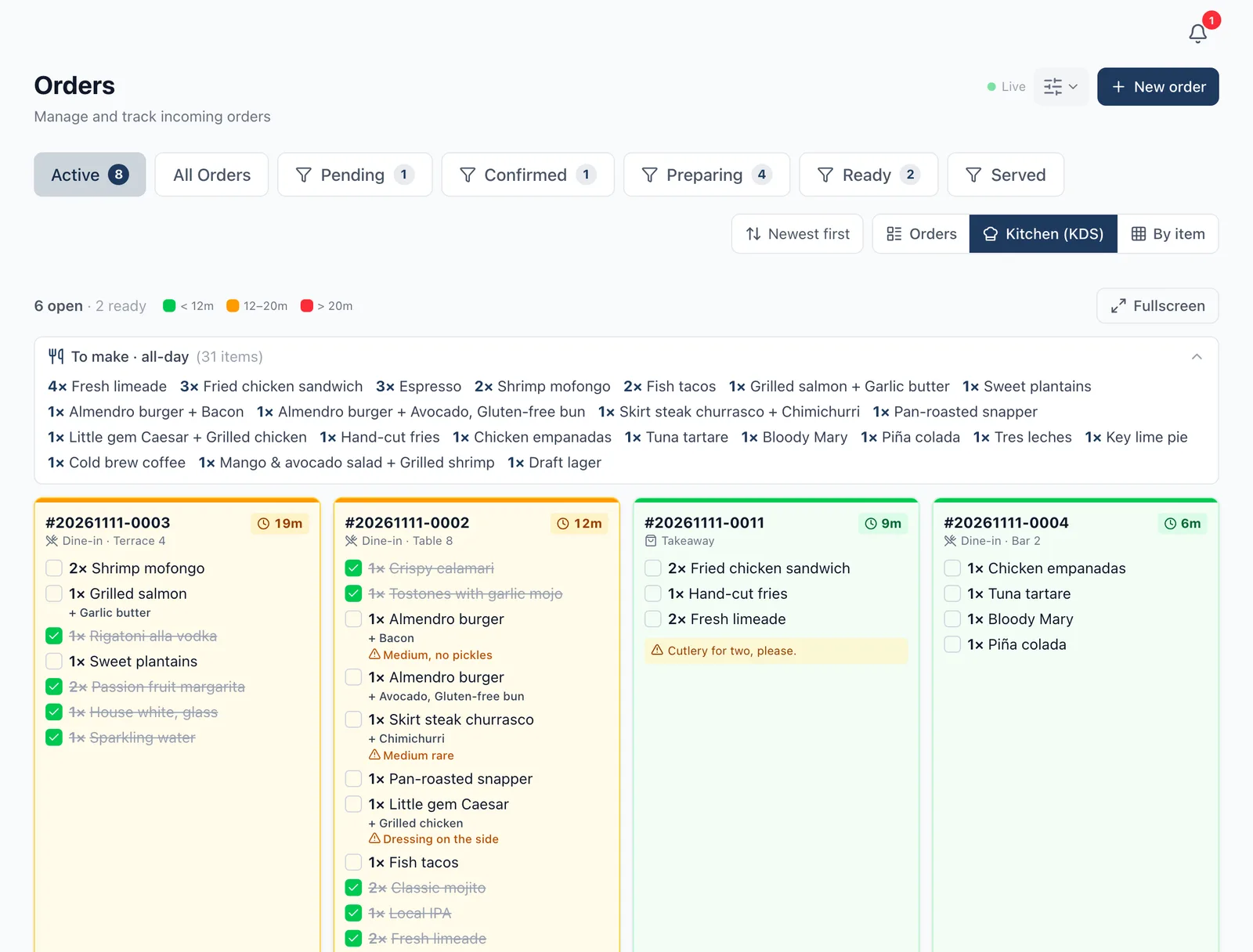
Every order prints as a kitchen ticket and shows on the kitchen screen. The kitchen moves it along as it cooks, and the floor sees when it is ready.
Everything is on one bill
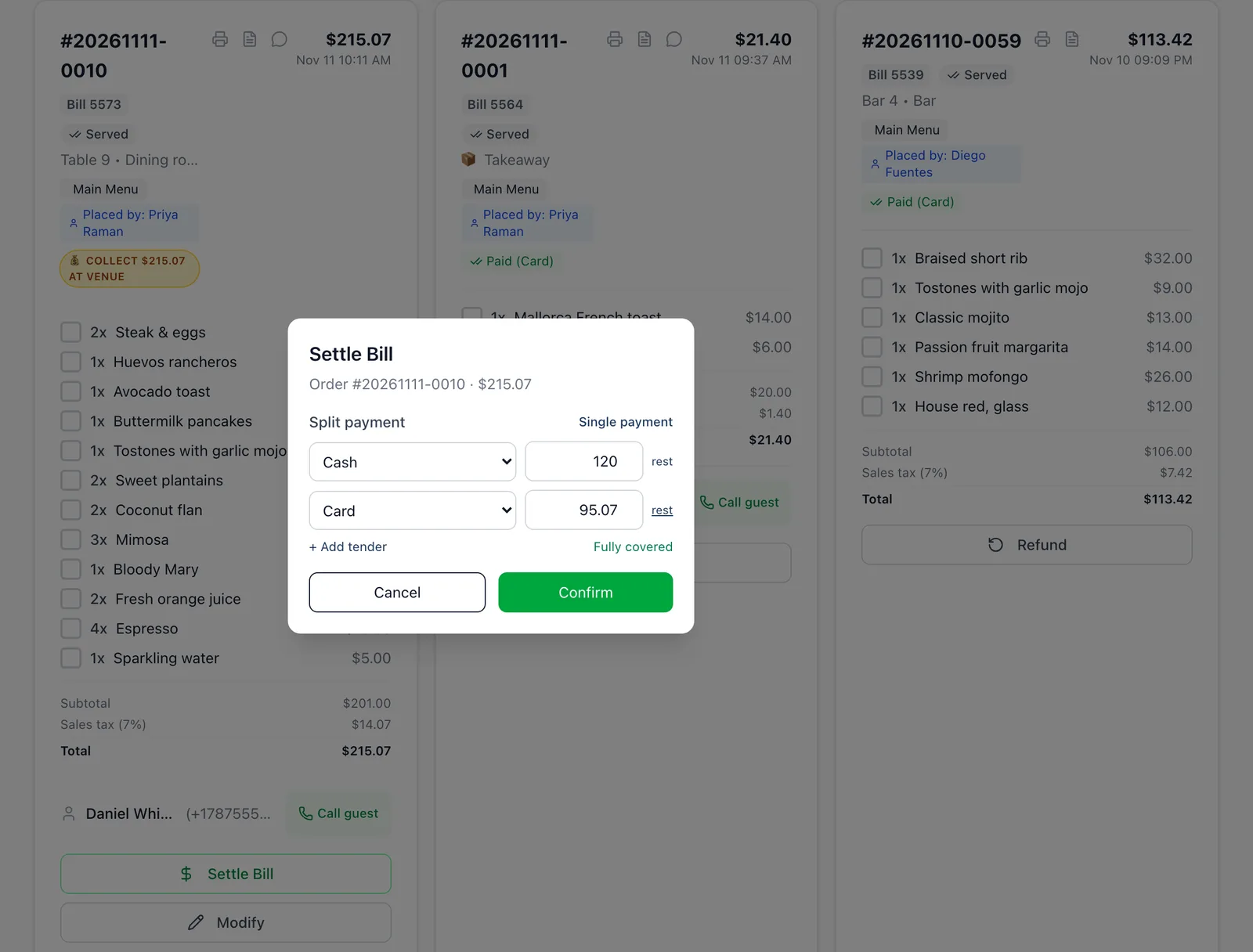
Whoever took the order, the guest pays one bill. Try it: tick what this table ordered, then split the payment.
Table 7 · TerraceTotal on the bill$84Card $50Cash $34The bill is settled, split if needed
Cash, card and UPI, or a split across them. Coupons and rewards apply to the bill, and the receipt prints with your logo and a short bill number.
The day closes with one cash-up
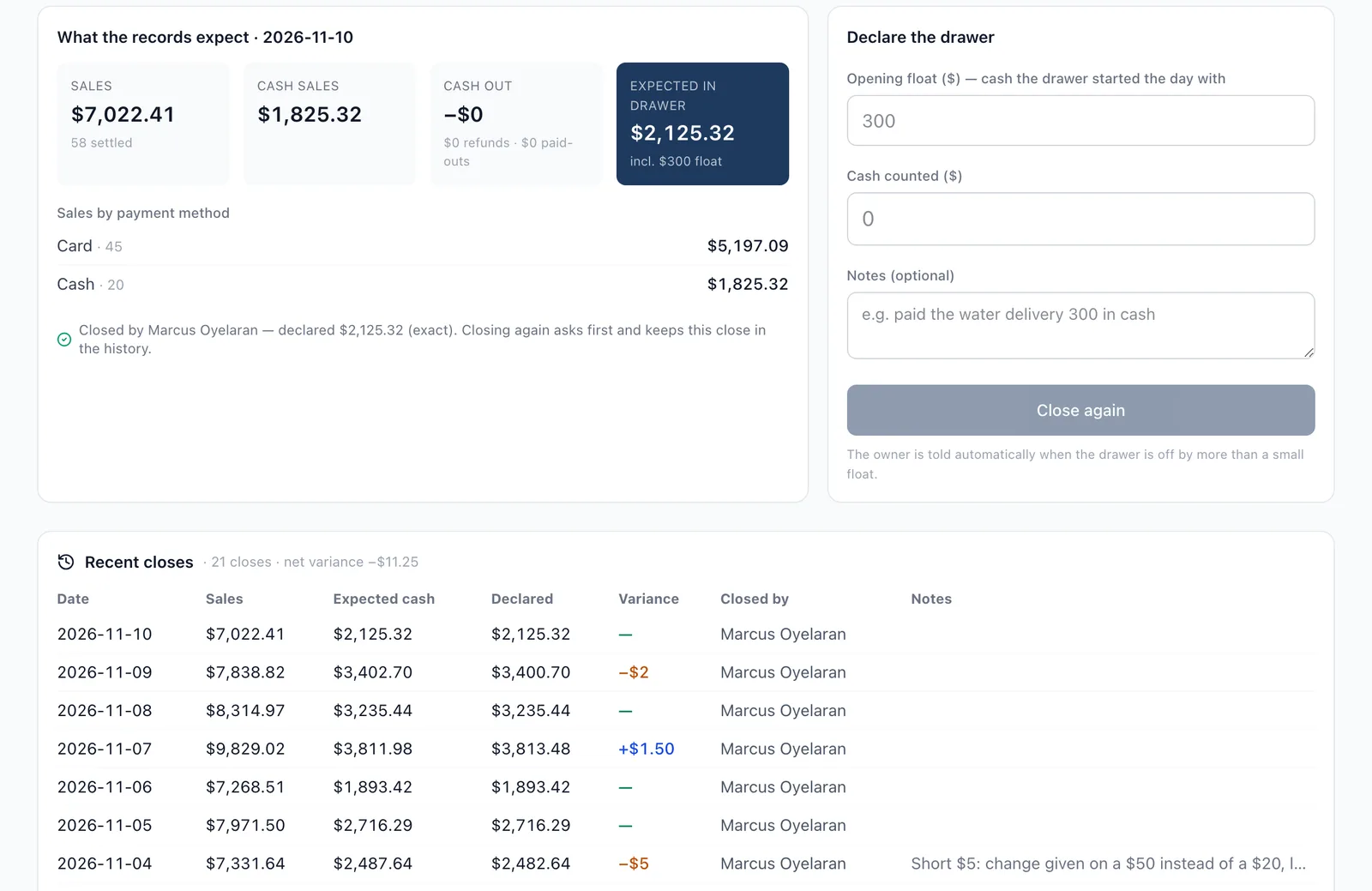
The cash-up is built from the actual orders and payments for your venue day, and any later edit is recorded. No spreadsheet.
Switch on the parts you need
Start with tables and billing. Add the rest when you are ready; it is the same login and the same menu.
Let guests order from a QR code
Each table has its own code. The order lands on that table’s bill and on the kitchen’s ticket.
Print kitchen tickets
Thermal printers over the network, by Bluetooth, or USB through a small print agent. We test-print on your printer at setup.
Add an AI waiter in 90+ languages
Guests ask about dishes and order in their own language. It feeds the same table as your staff.
Track recipe costs and stock
Cost every dish from its recipe and see which ones stopped making money.
Get reports by email
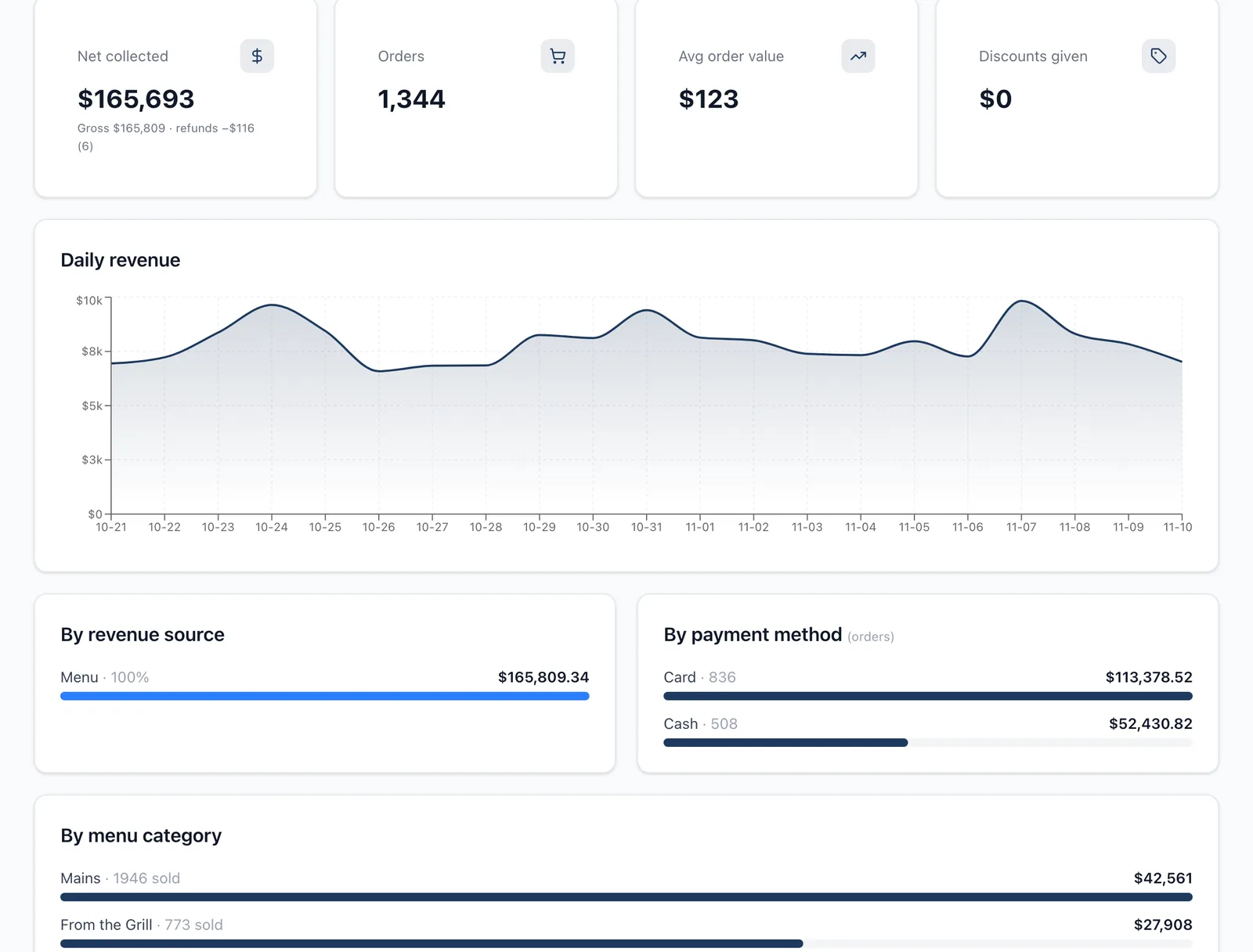
Sales by item, category, time of day and channel, exported to Excel or sent on a schedule.
Sales you can read the next morning
Reports follow your venue day and time zone. Sold-outs and price changes you make show on the menu straight away.
What it costs
A subscription sized by tables, with no commission on orders. A 14-day free trial starts once we switch your venue on, with no card needed. You can also start with a free digital menu.
$69
for your whole first year, paid once
- Starter covers up to 15 tables.
- Business covers up to 40, for $199.
- The regular price is $662 a year. Renewal is $199 a year, only if you choose it.
- No commission on orders. For the first 100 venues, until 31 December.
Questions restaurants ask us
Yes. Kitchen tickets (KOTs) and receipts print to ESC/POS thermal printers over the network, by Bluetooth, or through a small print agent on a computer for USB printers. We test-print on your own printer with you at setup. Kitchen staff also get a live order board on screen.
Yes. A bill can be settled with several tenders, for example part UPI and part cash, and the day close counts each tender separately.
Yes. Orders from the waiter, the table QR code and the AI waiter all land on the same table, so the kitchen sees one list and the guest pays one bill.
No. FullGuest is a cloud system and needs a connection to take orders. If your venue has unreliable internet, talk to us before switching.
Some venues do: FullGuest connects to Petpooja and to other systems through webhooks. The most value comes from running orders, kitchen and billing in one system, so most venues use FullGuest as the POS.
A subscription, with no commission on orders. Plans are on the pricing page, and there is a free digital menu to start with. Until 31 December 2026 your first year costs $69 on Starter or $199 on Business (₹4,999 / ₹14,999 in India), paid once.
Yes. Kitchen tickets (KOTs) and receipts print to ESC/POS thermal printers over the network, by Bluetooth, or through a small print agent on a computer for USB printers. We test-print on your own printer with you at setup. Kitchen staff also get a live order board on screen.
See a full service in one demo
We will walk through a real service: seat a table, take orders from a waiter and a QR code, print the kitchen ticket, split the bill and close the day.